The Document Console Interface: Client Charts
Contact our Solution Center for more details.
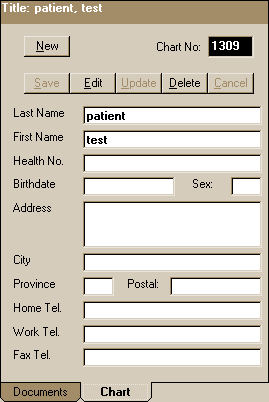
The Chart window contains client demographics. This feature allows you to easily add a new client by entering client information. By putting the information of the client in the next window, it is easy to see which image belongs to whom. The client will be assigned a client number (or you can select one), and you can enter as many fields as you wish, including first name, last name, health number (or reference number), birthdate, telephone and postal address.
Document
Console Introduction | Document
Console - In Depth | Document
Handling
The Query Function | The Document Console Interface | Scanning In Document Console
The Query Function | The Document Console Interface | Scanning In Document Console